Captures your exports
The desktop app watches the folders you choose and syncs new exports in the background.
Mixhaus gives producers, mix engineers, and studios one place to run each client project, from the moment a mix is exported to the day the final files are approved and delivered.
Start for freeClients never need an accountmacOS and Windows
Export, rename, upload, send another link, then work out which version a note was about. Each step is small. Together they leave you rebuilding every project from memory.
Feedback spread across four places
Try this one instead: final_v4_new.wav
Is this the version with the louder hook?
ArizonaDrive_FINALfinal_2.wav
Which mix was this note for?
One project with one next action
Version 4
Mixhaus picks up where your DAW leaves off and carries each mix through review, sign off, and hand off.
Finish a mix and export it as usual. Mixhaus captures the new version from a folder you choose and adds it to the track's history.
Pick the version the client should hear. They open one mobile friendly link and hear exactly that mix, with no account required.
Clients leave timestamped notes, compare revisions, then approve or request changes. Every note stays on the audio it belongs to.
Once approved, publish the final files from the same project, with a record of what was sent and what was downloaded.
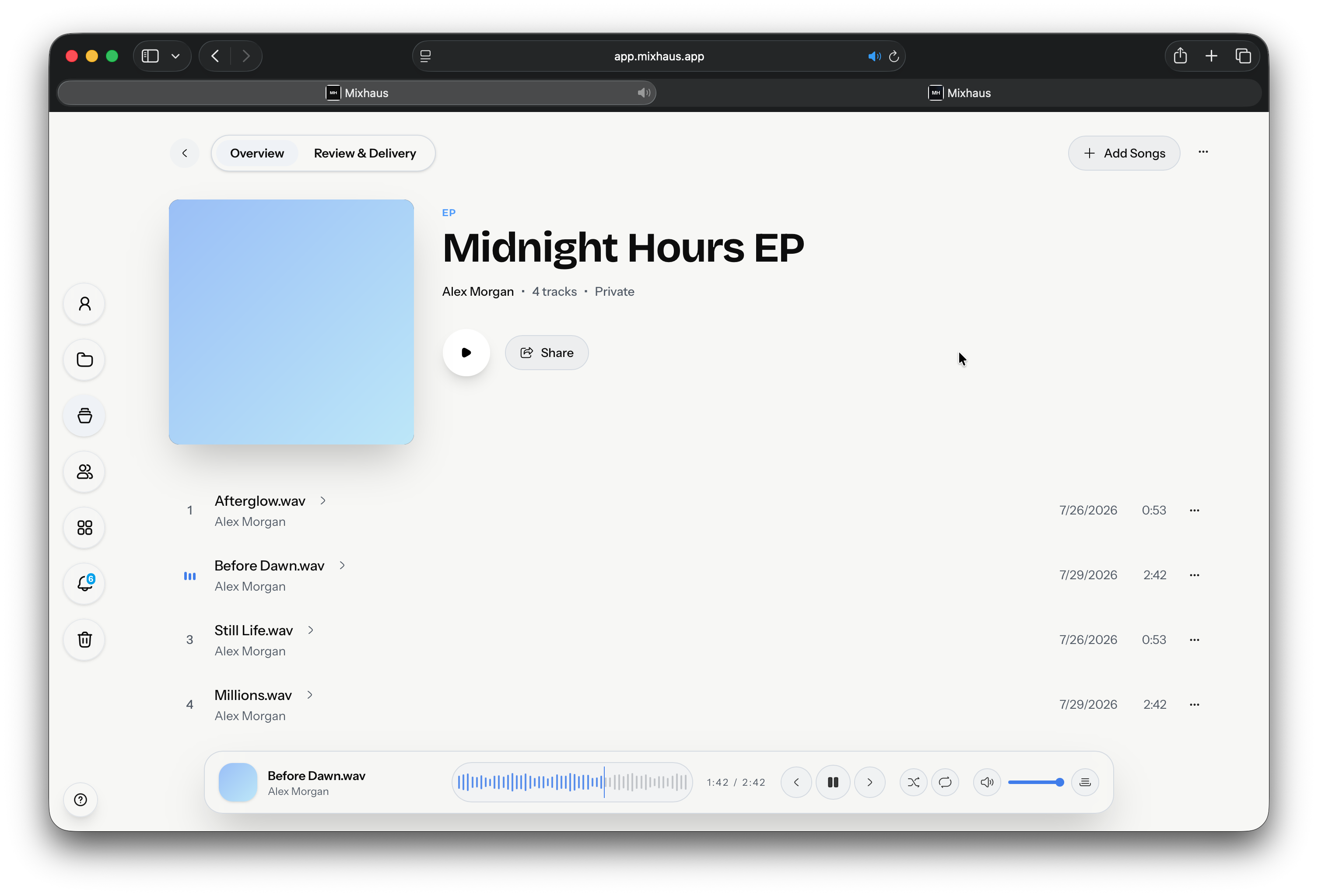
You run the project in the web app.
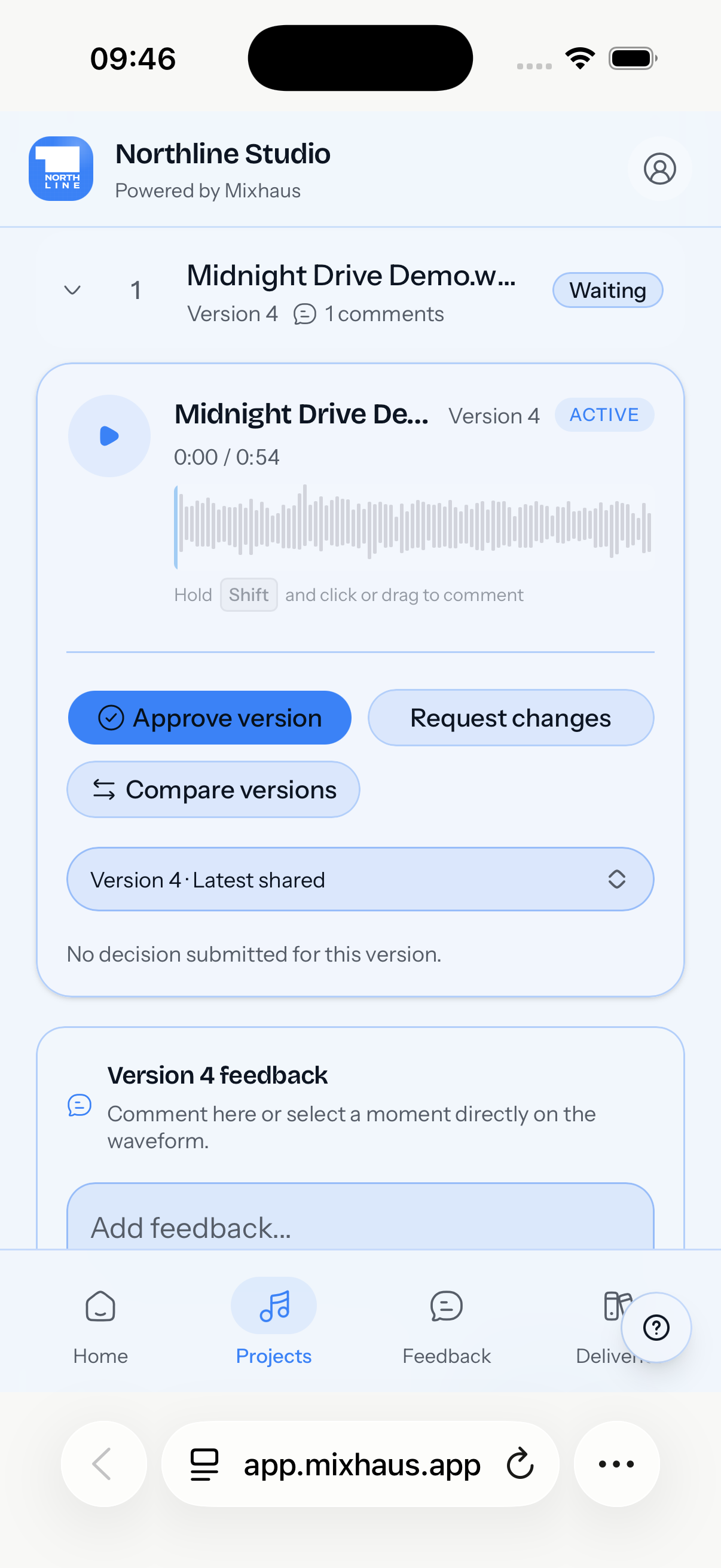
Your client reviews and decides from one link.
Install the desktop app, choose your export folders, and stay in your DAW. Captured versions stay private until you choose to share them.
The desktop app watches the folders you choose and syncs new exports in the background.
New exports build a timestamped history, and uncertain matches wait for your decision.
Versions, stems, spatial audio, and deliverables stay with the project they belong to.
Clients get one place to listen and respond. You decide what they can hear, who can act, and when access ends.
Clients switch between the revisions you select, then approve the right one or ask for another round.
Reply in threads and resolve notes as you go. Every timestamped comment stays on the version the client heard.
See who opened the room, listened, commented, or decided, with delivery downloads recorded in the same project.
Add a password and an expiry date, then choose exactly which versions and downloads the client can reach.
Request references, stems, or source recordings without another transfer link or losing the client's message.
Studio adds your name, logo, and colours to client portals, plus custom client email templates.
The desktop app watches the folders you choose and captures each new export in the background. Nothing reaches a client until you decide to share it.
macOS 13 or later
Windows 10 or 11, 64-bit
Free includes client uploads and file requests. Pro and Studio add client review, approvals and final delivery.
£0per month
For capturing versions and collecting files for one active client project.
£15per month
For reviewing, approving and delivering work across unlimited active client projects.
£25per month
For one account that needs more storage, branded client portals and custom client emails.
All plans are for one account. Versions and uploads count towards your storage allowance.
Spatial audio uses your supplied ADM BWF or Atmos/JOC master, a supplied binaural review render, and an optional supplied Atmos/JOC presentation on supported devices. Mixhaus does not create, render, or certify a Dolby Atmos master.
Something else on your mind? Email contact@mixhaus.app.
Mixhaus is an audio review and approval platform for producers, mix engineers, and studios. It connects every client project from the first mix export through version review, timestamped feedback, approval, and final file delivery.
Mixhaus is built for professional producers, mix engineers, mastering engineers, and small studios managing active client projects. It is especially useful when a project has several revisions, remote reviewers, or multiple final deliverables.
Install the desktop app and choose the folders where your DAW exports audio. Mixhaus watches those folders, captures new exports in the background, and adds recognised files to a timestamped version history. If a match is uncertain, Mixhaus asks you before attaching it to an existing track.
Yes, if your DAW can export audio to a folder. Mixhaus works with export folders from Ableton Live, Logic Pro, FL Studio, Pro Tools, Cubase, Reaper, Studio One, Bitwig Studio, Reason, and other DAWs.
No. A client can open a review link on mobile without creating a Mixhaus account. They can hear the versions you selected, A/B switch between revisions, leave written or timestamped feedback, and approve the work or request changes.
Yes. You choose the exact versions and downloads available in a review room, and you can protect access with a password or expiry date. Captured drafts remain private until you deliberately send them for review.
Yes. You can request reference mixes, stems, source recordings, or other original audio through the client portal. Their audio and message stay connected to the relevant client project instead of arriving through a separate transfer link.
Yes. Mixhaus records an explicit approval or request for changes against the exact audio version the client heard, instead of treating an email reply, message reaction, or download as sign off.
Yes. After approval, you can prepare the final files, stems, and other deliverables in the same client project. Mixhaus keeps a clear record of what was included, sent, and downloaded.
Your audio is private by default. Capturing an export does not automatically send it to a client: you choose which exact versions enter a review room and when reviewers are notified.
Cloud storage and audio sharing tools mainly organise or play files. Mixhaus runs the client workflow around those files: automatic export capture, connected version history, client review, timestamped feedback, explicit approval, final delivery, and a durable project record.
Create your account, install the desktop app, and send your next mix for review from one client project.